School staff and roles
This is the login list. Invite the people who will open SchooLane, then tick the role they actually need.
What you need first
- A school-admin sign-in
- A real email for each person (they use it to sign in)
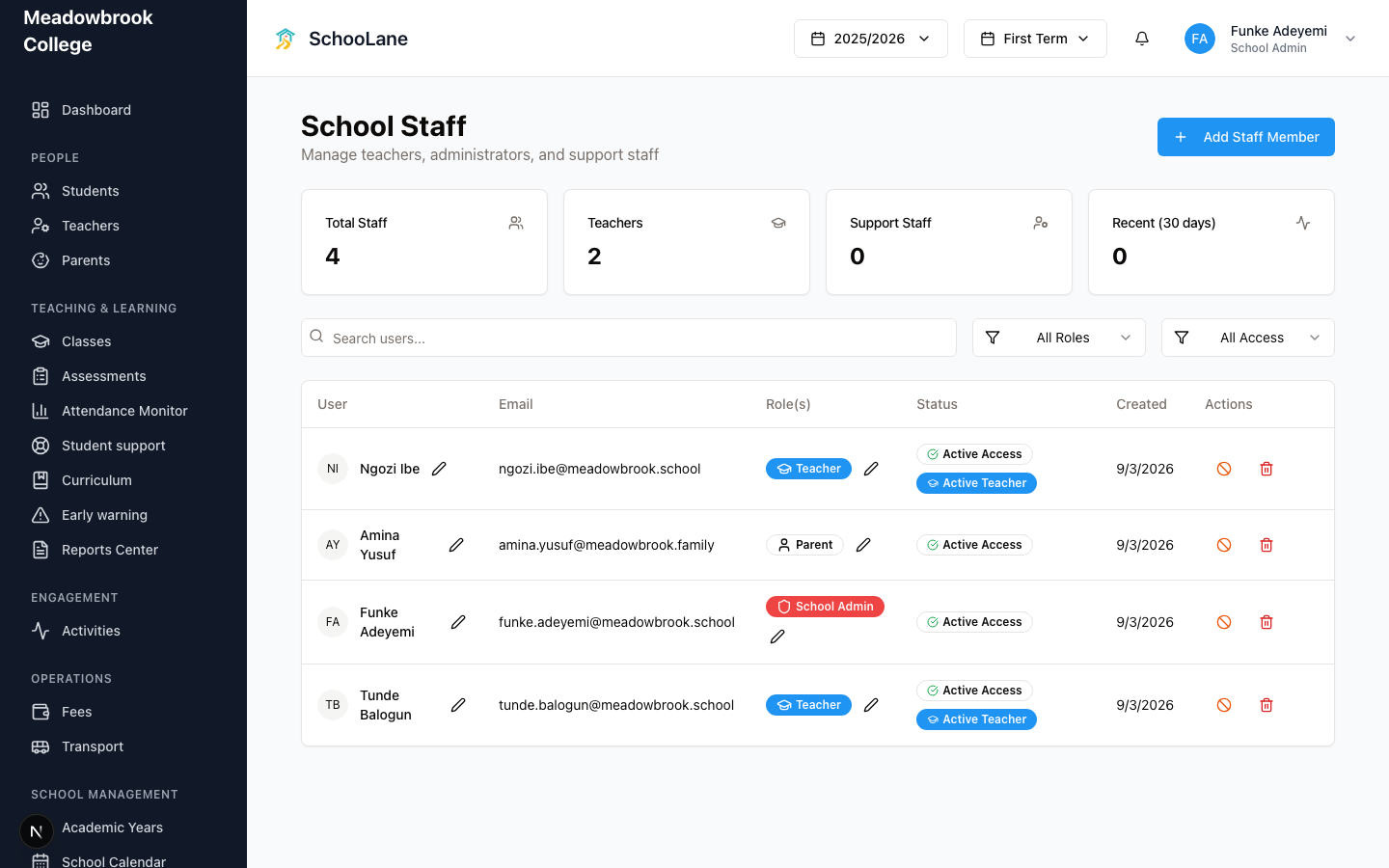
Steps
1. Open School Staff
Under School management, press School Staff. The heading is School Staff. Total Staff and Teachers sit at the top. Support Staff is there too if the office has non-teaching logins.
2. Add a staff member
Press Add Staff Member. The dialog asks for Full Name, Email, and Role(s). Tick School Admin, Teacher, or both. Press Create Staff Member.
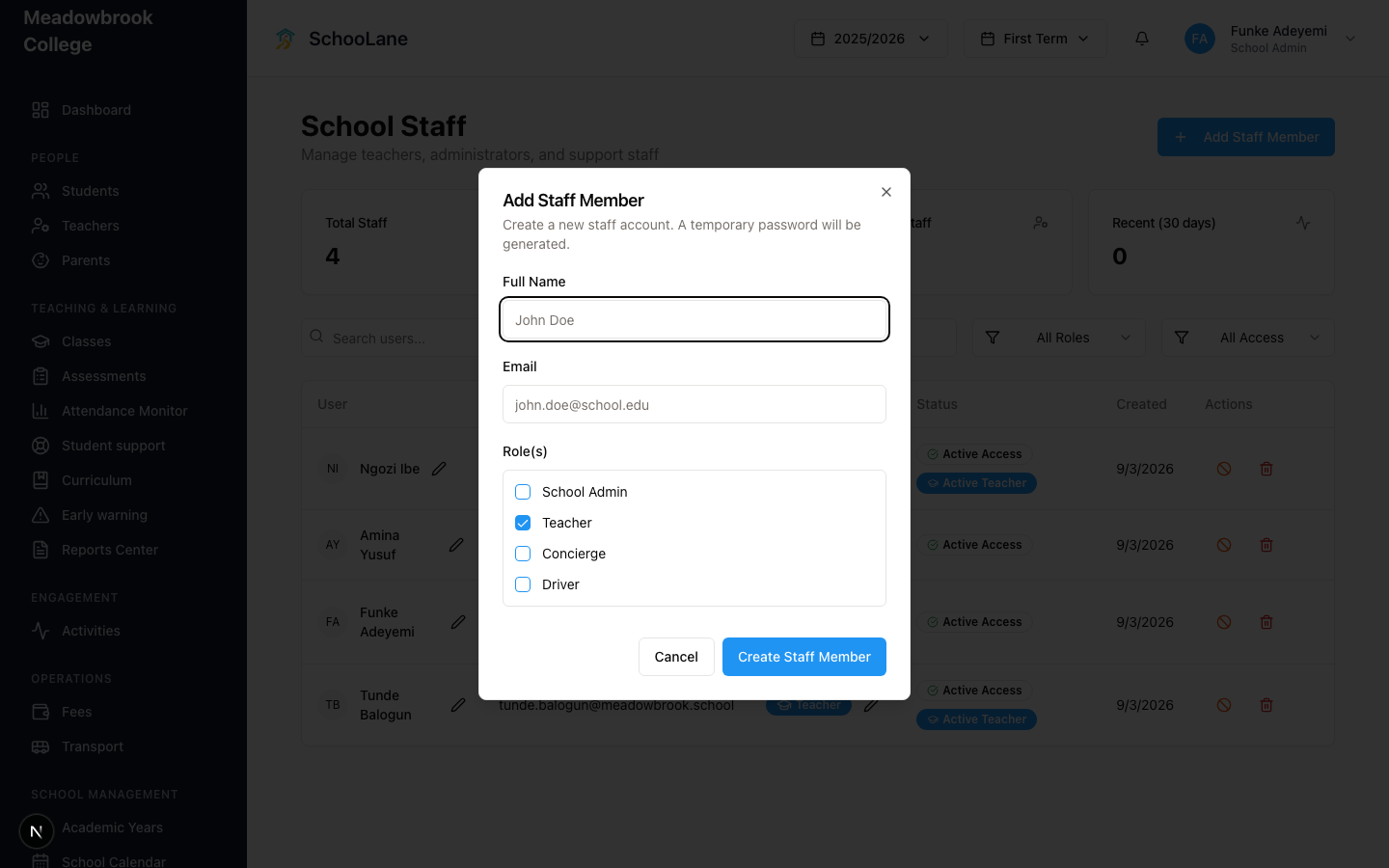
A Temporary Password appears after save. Copy it and send it to that person. They can also sign in with Email OTP if they never set a password.
3. Tell them how to sign in
They open the admin site, enter that same email, and pick Email OTP or Password. One person, one inbox. A shared office Gmail makes OTPs a mess.
4. Change a role later
Find the person in the list. Press the pencil under their role pills. Edit Role(s) lets you add or drop School Admin and Teacher. Give Tunde school admin only if he actually runs the office. Ngozi Ibe can stay teacher-only.
Teachers vs School Staff
School Staff is who can log in, and which role they hold. Teachers (under People) is the teaching directory: employee ID, specialization, class work. Press Add Teacher there if you only need the teaching profile. I still add the login on School Staff first. A profile with no login just sits there.
Common mistakes
- Building a teacher profile and skipping School Staff. They will bounce off Sign In.
- Ticking School Admin for every teacher. Most people only need Teacher.
- Using one inbox for the whole office. Each person needs their own email.
- Adding Tunde from Add Teacher and then adding him again here. One email. One person.