Home
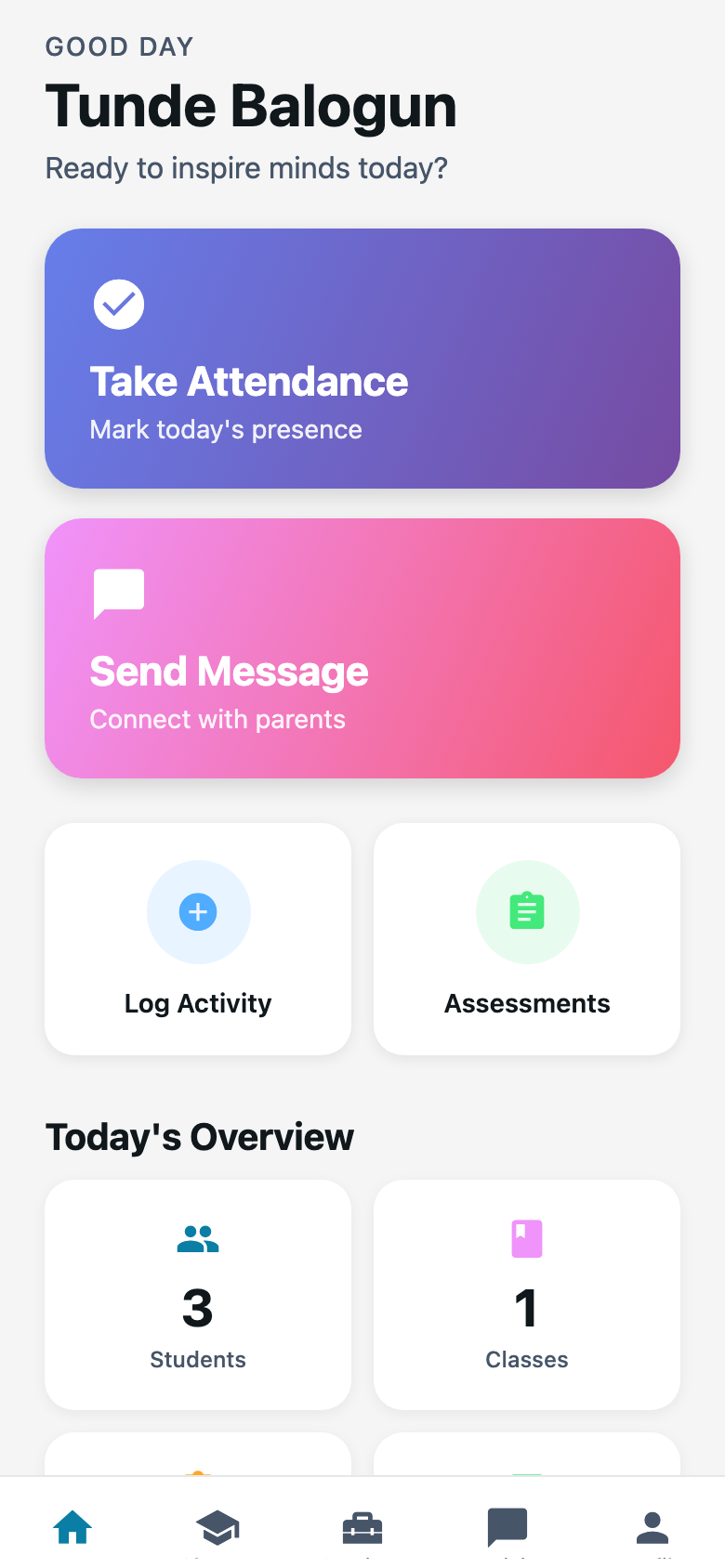
First screen after sign-in. Your name, what is happening now, and the shortcuts you actually tap.
What you need first
- A staff-app login
- At least one class on your name (Tunde has JS2 A)
Steps
1. Read the greeting
It says good day and your name. Under that, Meadowbrook shows today’s timetable strip when a period is live. “Happening now” means a class is in session. “Break now” means leave it.
If the strip says no timetable is saved, the office never built one. You can still mark attendance from Classes.
2. Use the big shortcuts
Home usually offers:
- Attendance
- Activity
- Assessments
Those jump into the same work you do from a class card. I tap Attendance first on a Monday. Activity can wait until after last period.
3. Pull down if the counts look stale
The numbers come from the server. Pull the screen down if you just marked JS2 A and Home still says nothing is pending.
Common mistakes
- Looking for School Settings on Home. That lives on Teachers web, for the office.
- Ignoring an empty class list. If Tunde cannot see JS2 A, the assignment never saved.