How to run SchooLane
These pages are for people who run a school in SchooLane. School admins build the year and the roll. Teachers mark the register. They grade work. They write to parents when something happens that a parent should see.
I would start with sign in if you have never opened the site. If the school is still empty, go to set up from scratch before you touch attendance.
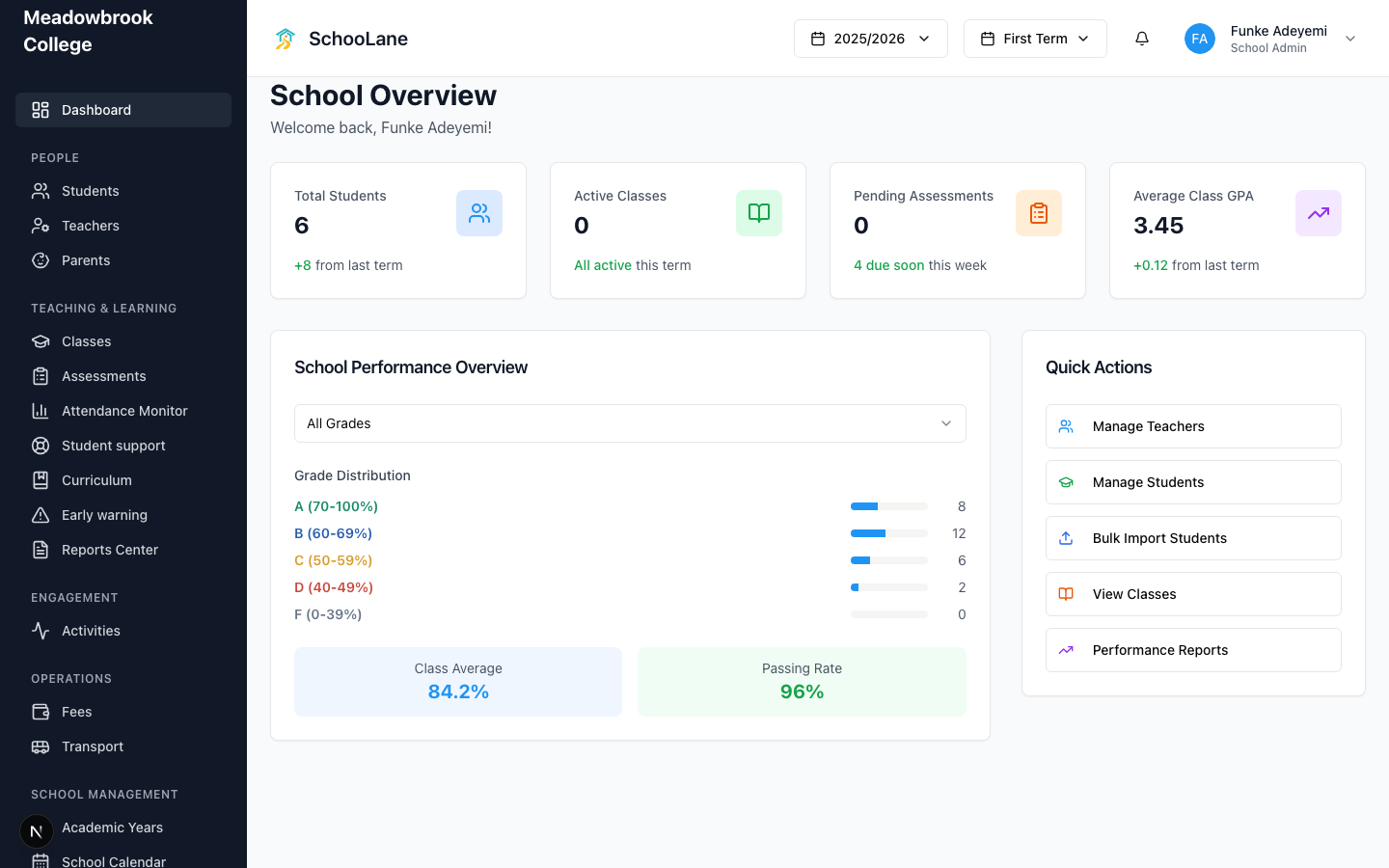
The pictures come from Meadowbrook College in Ikeja. We made that school up so we had something to click. Your class names will look nothing like theirs. The buttons stay the same.
Where to start
| You are | Open this |
|---|---|
| New to the site | Sign in |
| Opening a school that has no year yet | Set up a school from scratch |
| Unsure which login to use | Roles and access |
| A teacher starting the term | Teachers web |
| Working from your phone | Staff app |
Skip the long setup page if someone already built the year and put you in a class. You only need sign-in and your own teacher pages.
A school year, in the order I would do it
- Sign in as the school admin. You land on School Overview.
- Save school settings. Then invite people under School Staff.
- Run the academic year wizard. Add subjects and classes after that, not before.
- Enroll students. Link parents once the children exist.
- Teachers take attendance and set assessments. They post activities when there is something worth sending home.
- Publish reports when the term is actually over. Do not rush that last one.
A school admin sees five groups in the left sidebar. People. Teaching & learning. Engagement. Operations. School management. A teacher gets a shorter list. Parents never use this website. They use the parent app.
If a menu is missing, check the role first. Then ask whether that part of SchooLane is even on for your school.