Grading as a teacher
Make a test for your class, type the scores, then finalize when the set is really done.
What you need first
- A class and subject on your name (JS2 A English, for Tunde)
- The current term selected in the year switcher
- Assessment types set up by the office. If the form says they are missing, stop and ask.
Steps
1. Open Assessments
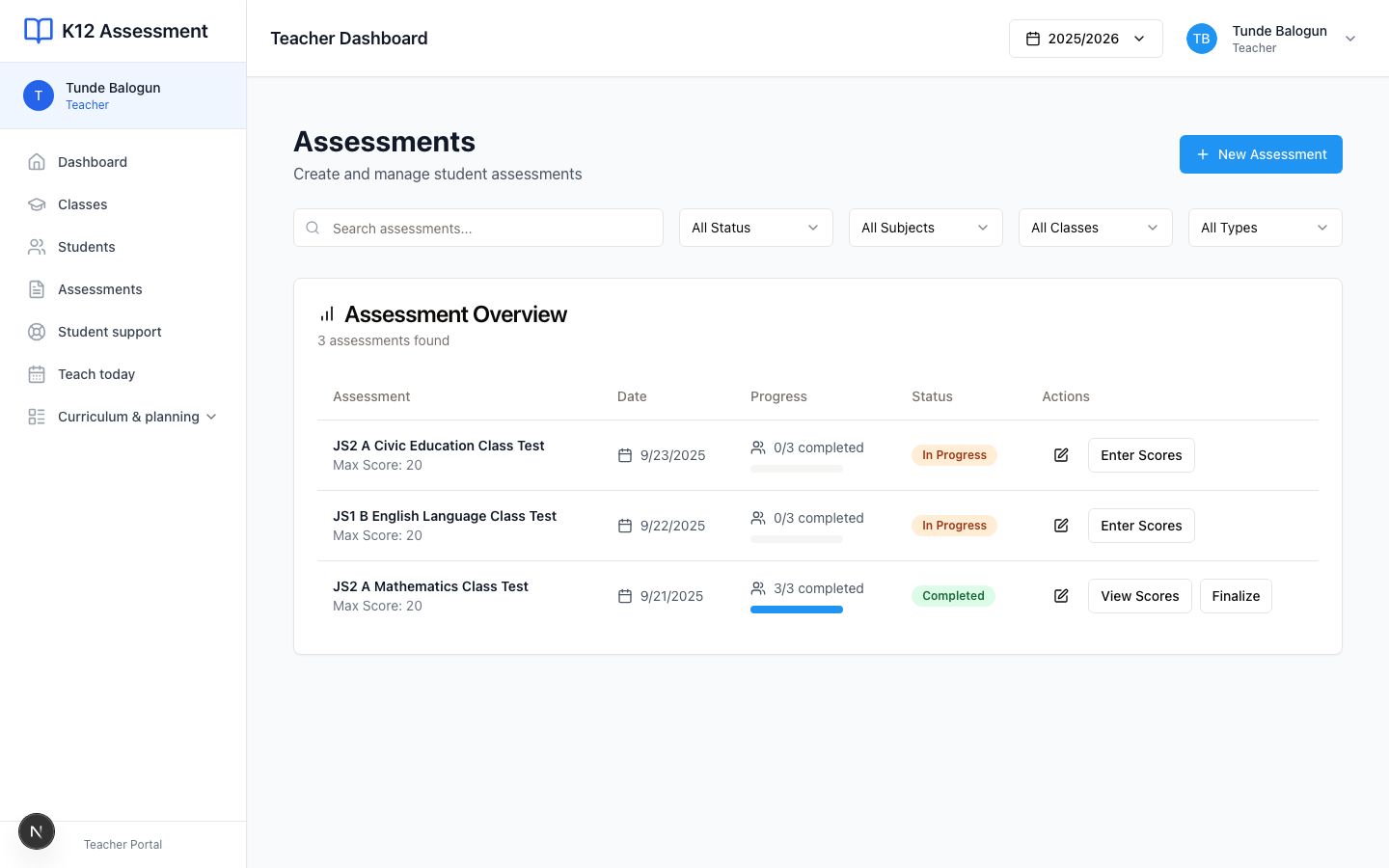
Press Assessments in the sidebar. You see your tests, not Meadowbrook’s whole catalogue.
2. Press New Assessment
Choose the class, subject, term, title, type, and maximum score. Pick JS2 A first. The form loads subjects after that.
Save. If Create Assessment stays dull, you still owe a class or the office never configured types.
3. Enter scores
Open the assessment. Type each mark. Chioma 16. Ibrahim 11. Save as you go. The list shows how much of the class is graded.

Do not leave the page with half a column typed and no save. I have lost a Friday afternoon that way.
4. Finalize when you are done
Use Finalize & Publish only when you do not expect more scripts. Parents can see blanks. The office pulls finalized work into Reports Center.
If Fatima submits late on Monday, change the score before you finalize. After that, you are arguing with a published mark.
Checklist classes
Some classes grade by skill, not a paper. You will see Initialize Checklist instead of New Assessment. Initialize once. Then tick the skills. Do not hunt for a test title that will never appear.
Common mistakes
- Building the test on last term. Look at the term pill on the form.
- Finalizing JS2 A when three children still have empty cells. Parents will ask you at the gate.
- Creating a school-wide exam from a teacher login. Stay on your class.