School settings
This is the school office page. Attendance rules, student IDs, the logo, the map pin, and the head-teacher signature that prints on reports all live here.
What you need first
- A school-admin sign-in (teachers never see this page)
- A PNG logo if you want it on reports (under 1MB)
- The school address if transport is on
- The head teacher’s signature only if you already print reports from SchooLane
Steps
1. Open School Settings
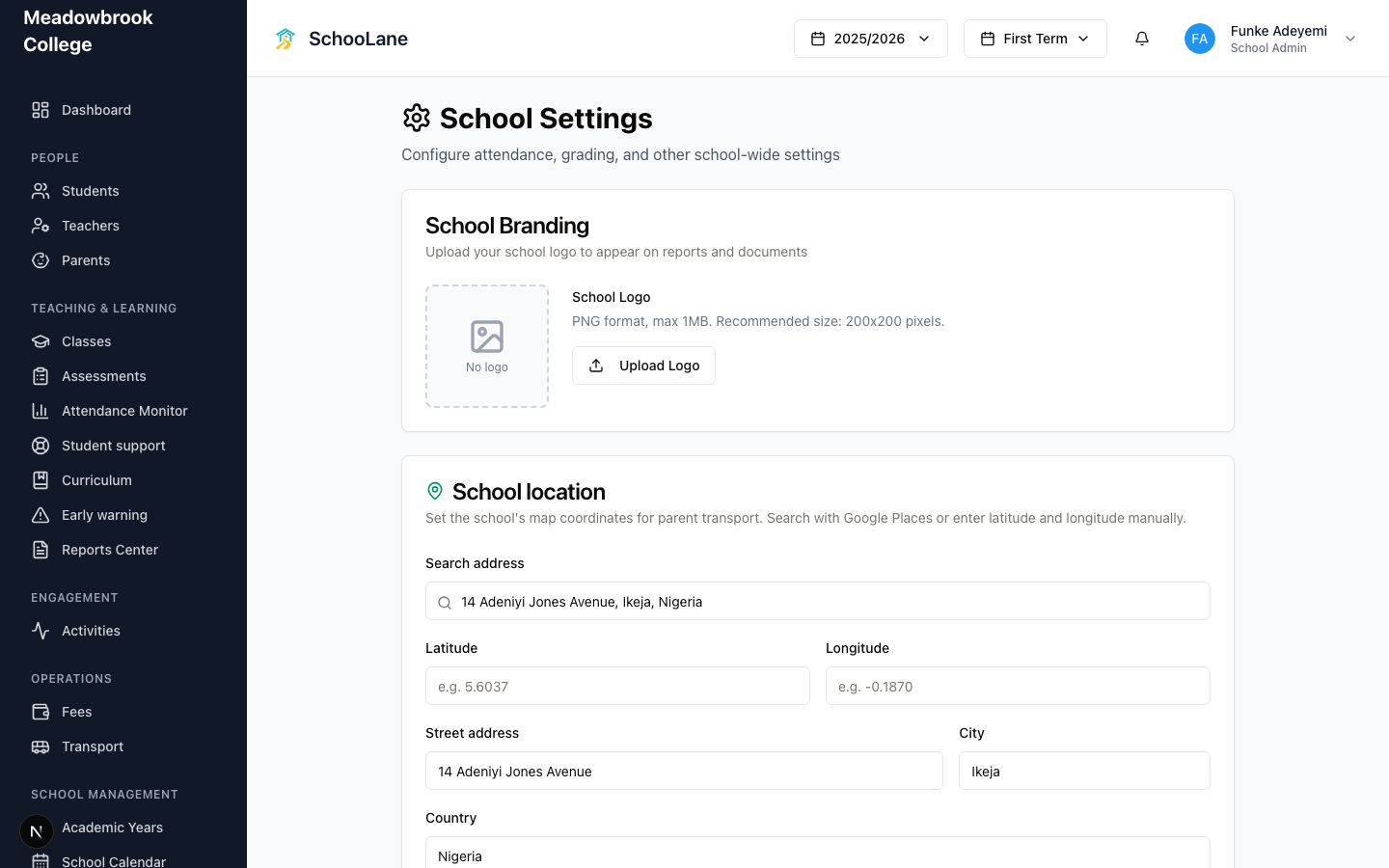
In the left sidebar, under School management, press School Settings. You should see the heading School Settings and a gear icon. If that menu item is missing, you are not signed in as a school admin.
2. Set attendance rules
Scroll to Attendance Settings. Fill Late Threshold Time (Meadowbrook uses 08:30). Fill Tardy Minutes. Fill Attendance Edit Window (Days) so teachers can still fix last week’s mark. Tick Require reason for attendance amendments if you want a written reason after that window. Then press Save Settings.
3. Set student IDs if you want them automatic
Open Student ID Generation. Turn on Auto-generate Student IDs. Set ID Prefix to something short like MBK. Press Save ID Settings. New enrollments pick up the next number. Skip this if your office already writes IDs by hand.
4. Put Ikeja on the map (if you see it)
School location only shows when transport is on for the school. Search the address, or type Street address, City, and Country. Meadowbrook would put Ikeja here. Press Save location.
5. Upload the logo. Think twice about the signature.
In School Branding, press Upload Logo. PNG only. Under 1MB. Reports pick it up after that.
Then open Head Teacher Signature. Press Draw Signature if you want a pad, or upload a PNG or JPEG under 500KB. Skip the signature pad if reports are still on paper. A blank pad on a paper report is just a smudge.
Common mistakes
- Signing in as a teacher and hunting for this page. Teachers cannot open School Settings. Ask Funke, or use a school-admin account if you have both roles.
- Uploading a giant photo as the logo. The page wants a small PNG.
- Drawing a signature “just in case” while the school still prints reports in Word. Wait until SchooLane reports are live.